🧰 Your crew's day & their pay
Crew & Payroll
on autopilot.
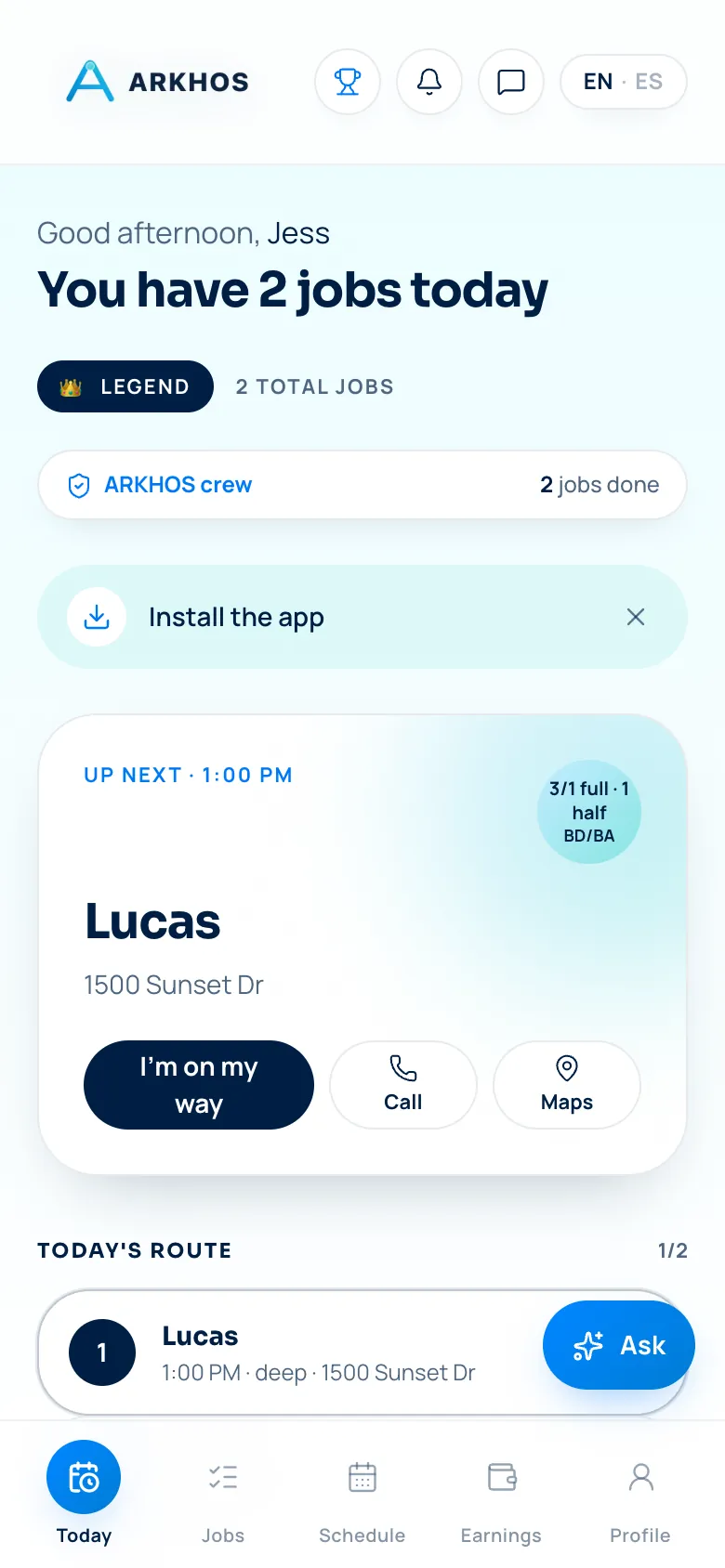
Your crew gets a phone-first day — today's stops, the address, the gate code, the checklist and a tap to start and finish — while ARKHOS turns completed jobs and tips into payroll you just review and pay. Less texting the team where to go, less spreadsheet math on payday.
Part of the full ARKHOS OS · join the launch list · no card · set up in a day
The whole job, handled — not just a screen to stare at.
One capability of the ARKHOS operating system, running on the same engine behind a real 7,391-job operation.
A phone-first day for the crew
Each worker sees their own stops, addresses, codes and checklist — no group text about where to go next.
Completion that feeds the office
Start/stop, photos and checklists flow back automatically, so the office knows a job's done the moment it is.
Payroll without the spreadsheet
Pay is computed from completed jobs and tips — you review and press pay instead of rebuilding it every week.
Tips to the right person
Tips attribute to the worker who did the job and flow straight into their pay.
Checklists that hold the standard
Require the checklist before a job can close, so quality doesn't depend on memory.
Less back-and-forth
The crew self-serves the details they need, cutting the all-day stream of 'what's the address?' texts.
This is the actual product.
Every screen below is a real ARKHOS surface. Flip the whole page between light and dark with the toggle up top — the product does too.
Their whole day, on their phone.
Each worker sees only their stops — address, notes, gate codes, the checklist — and taps to start and complete. No group-text scramble about who's going where, and completion data flows straight back to the office.
- Today's route and job details per worker
- Checklists required before a job closes
- Start/stop and photos captured on site
Computed from real jobs — you press pay.
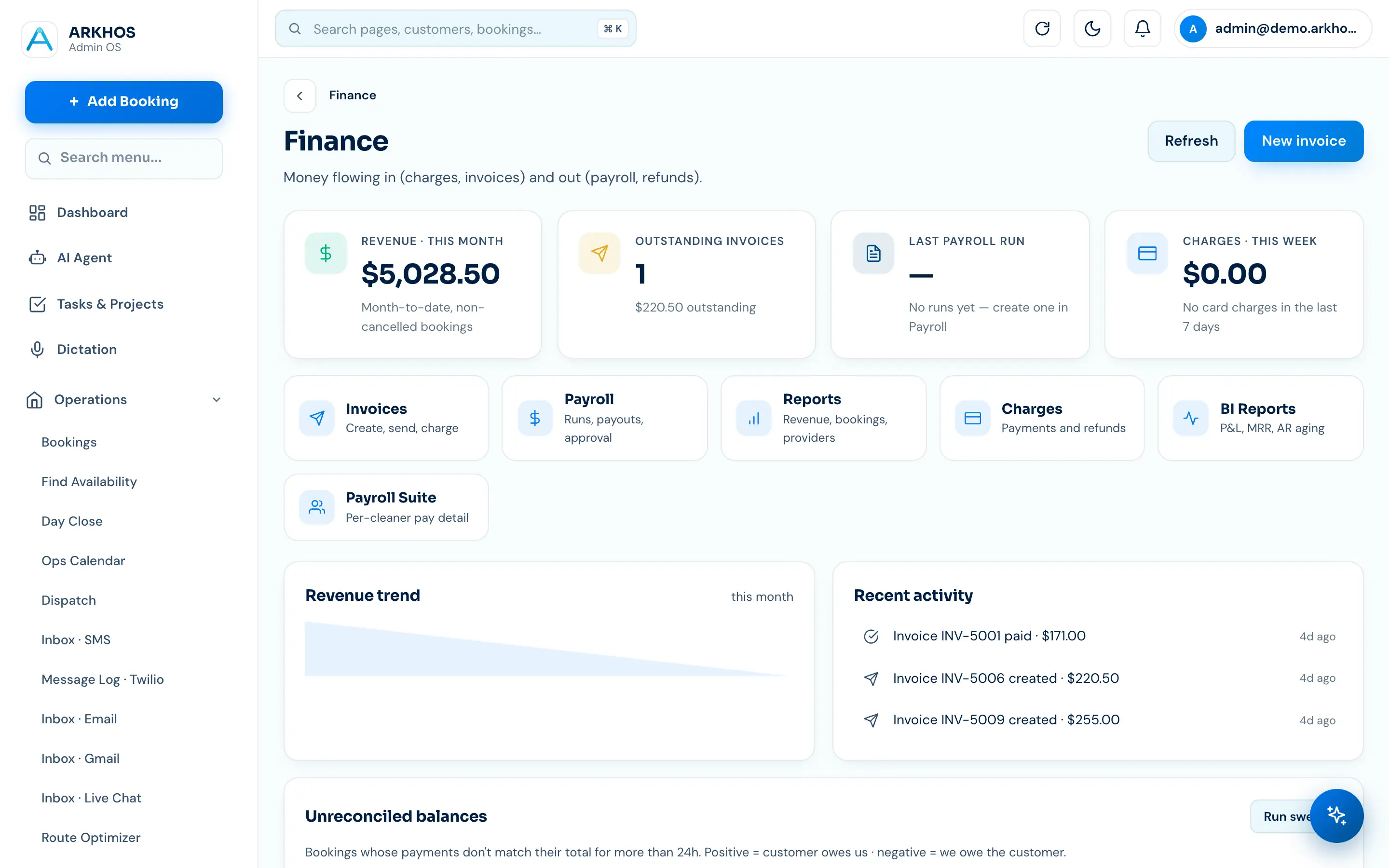
ARKHOS adds up completed jobs and tips into each worker's pay so you're not rebuilding it in a spreadsheet every week. Review the numbers, adjust if needed, and pay on your schedule.
- Pay computed from completed work
- Tips included and attributed correctly
- Review and pay — no weekly spreadsheet
14 days free · no credit card · see your own data in it within a day
Put crew & payroll on autopilot.
It's one part of the full ARKHOS OS. We're onboarding in waves — 14 days free, no card, cancel anytime.
Crew & Payroll — questions, answered.
Does the crew get their own app?
Yes — a phone-first view of just their stops, with addresses, notes, gate codes, checklists and tap-to-start/finish, so they self-serve the day instead of texting you.
How is payroll calculated?
From completed jobs and tips. ARKHOS totals each worker's pay from the work actually done, so payday is a review-and-pay step, not a weekly spreadsheet rebuild.
Do tips go to the right worker?
Yes. Tips attribute to the crew member who did the job and flow into their payroll automatically.
Can I require a checklist before a job closes?
Yes — you can require the job checklist to be completed before it can be marked done, so your quality standard holds without you watching every job.