💳 Payments, invoices & the books
Money & Payments
on autopilot.
Charge the card on completion, take deposits and holds, split tips to the crew, chase unpaid invoices and reconcile to QuickBooks — on your own Square account, at Square's standard rates, with no ARKHOS markup. The money stops leaking because getting paid stops depending on you remembering to ask.
Part of the full ARKHOS OS · join the launch list · no card · set up in a day
The whole job, handled — not just a screen to stare at.
One capability of the ARKHOS operating system, running on the same engine behind a real 7,391-job operation.
Get paid the day of the job
Cards charged on completion so revenue stops depending on you remembering to send an invoice.
On your own Square account
Bring your own key — processing runs at Square's standard rates, paid directly to you, with no ARKHOS markup.
Protect the job up front
Deposits and holds reduce no-shows and cover you before the crew ever rolls out.
Split tips to the crew
Tips route to the assigned worker automatically and flow into payroll — no manual math.
Chase the money for you
Unpaid invoices are followed up automatically instead of aging quietly on a list you never check.
Books that stay current
Receipts, invoices and expenses sync to QuickBooks so month-end isn't a scramble.
This is the actual product.
Every screen below is a real ARKHOS surface. Flip the whole page between light and dark with the toggle up top — the product does too.
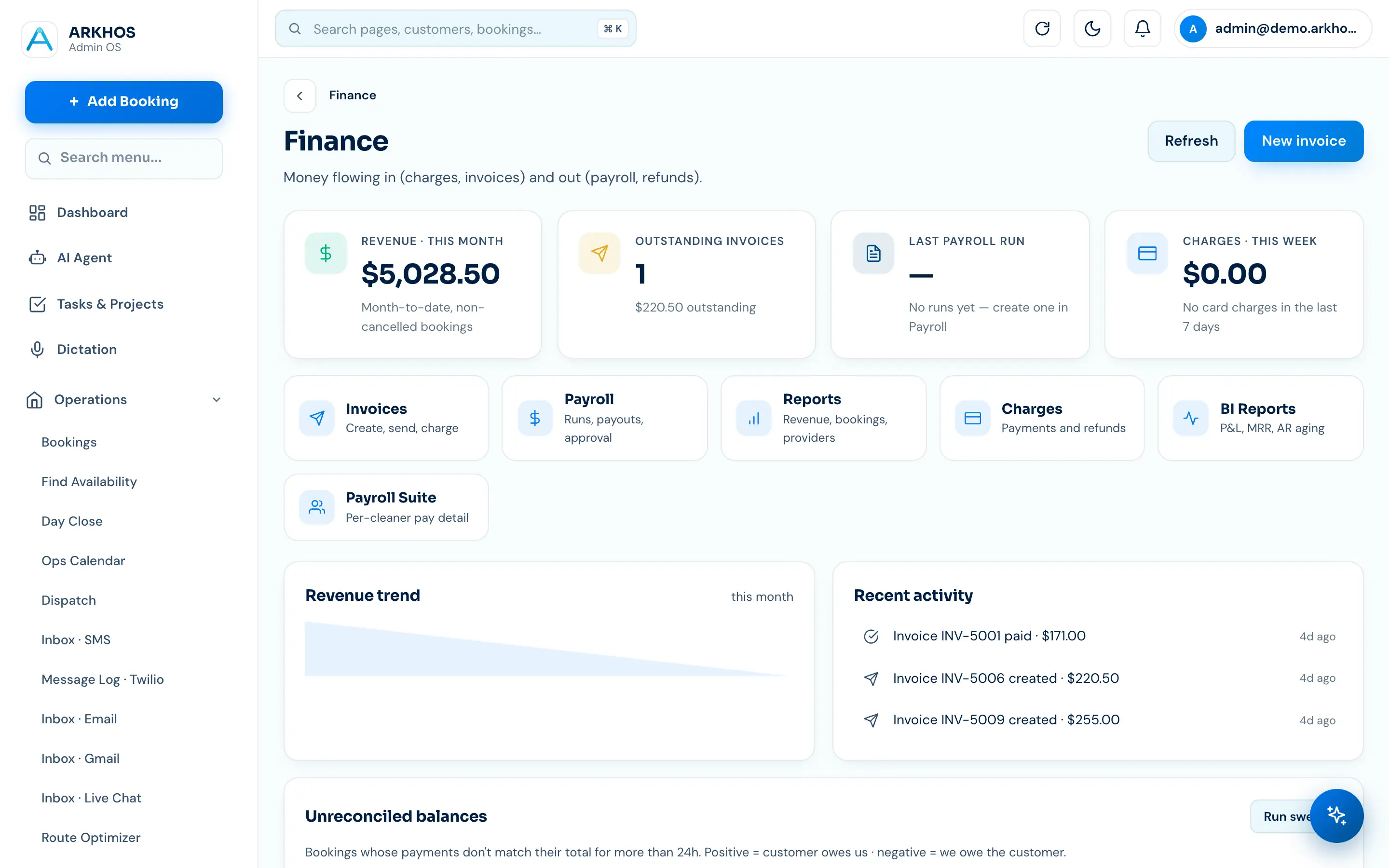
Revenue, payouts and what's owed — live.
See what came in, what's outstanding and what's owed to the crew without exporting anything. Charges fire on completion, unpaid invoices get chased, and tips route to the right person automatically.
- Cards charged on job completion
- Unpaid invoices chased on their own
- Tips split to the assigned crew
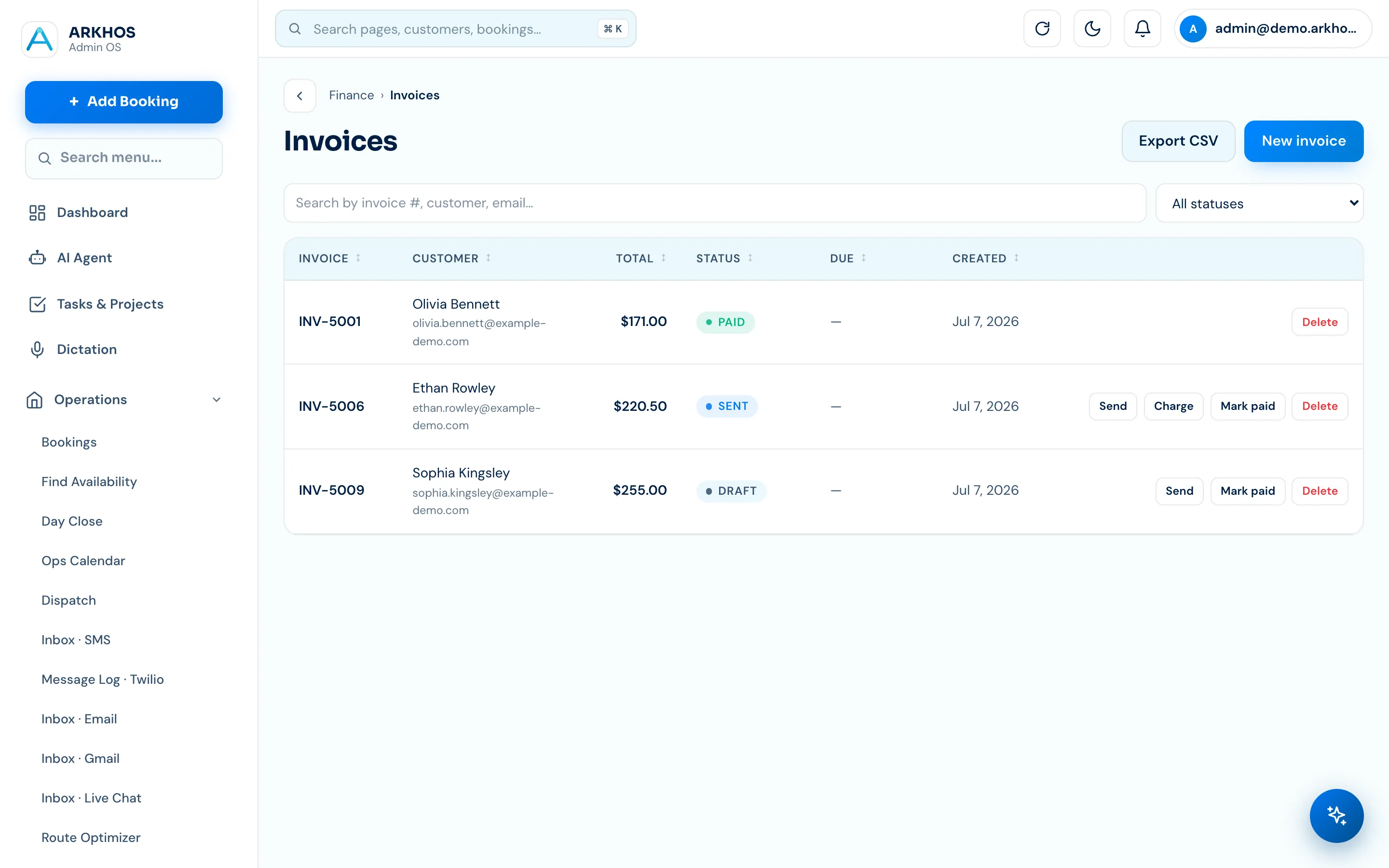
Sent, paid and reconciled without CSV wrangling.
Invoices go out, payments come in, and it all syncs to QuickBooks so your books stay current. Deposits and holds protect you up front; refunds stay approval-locked so nothing sensitive fires by accident.
- Deposits and holds taken up front
- Receipts and expenses pushed to QuickBooks
- Refunds stay approval-locked
14 days free · no credit card · see your own data in it within a day
Put money & payments on autopilot.
It's one part of the full ARKHOS OS. We're onboarding in waves — 14 days free, no card, cancel anytime.
Money & Payments — questions, answered.
Whose payment account does ARKHOS use?
Yours. Payments run on your own Square account with a bring-your-own-key model — card processing is Square's standard rate, paid directly to you, and ARKHOS adds no markup.
Can it take deposits and holds?
Yes — you can require deposits or place holds up front to reduce no-shows and protect the job, then charge the balance on completion.
Does it sync to QuickBooks?
Yes. Invoices, receipts and expenses sync to QuickBooks Online so your books stay current without CSV exports and manual entry.
How are refunds handled?
Refunds are approval-locked. The operator can propose one, but a sensitive action like a refund won't fire until you approve it — so nothing moves money by accident.